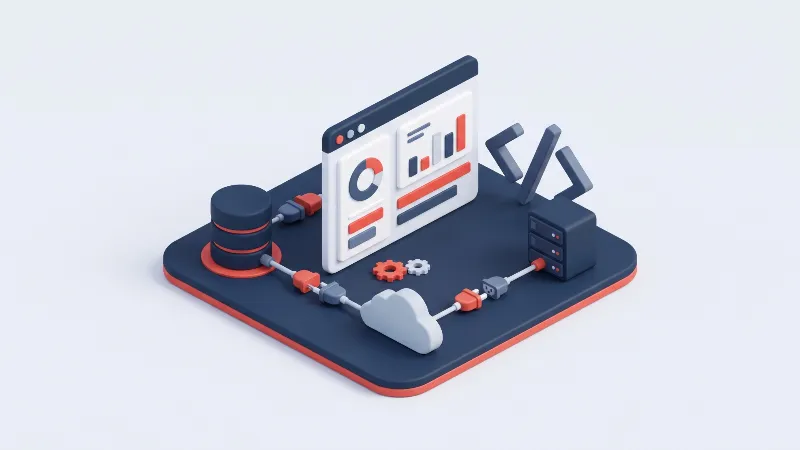
What You'll Learn from This Article
- A CMS is software that separates your content from the code that displays it, so anyone on the team can publish without editing files.
- The three broad approaches are ready-made platforms, headless API-first systems and fully custom builds, each with a different balance of speed and control.
- Every modern CMS shares core building blocks such as an admin dashboard, templates, a content database, a media library and user roles.
- WordPress, Wix, Shopify, Strapi, Contentful and enterprise tools like Adobe Experience Manager lead their categories in 2026.
- A custom CMS is the better choice when your content types, integrations or compliance needs stop fitting a ready-made platform.
Quick answer: A CMS, or content management system, is software that lets you create, edit and publish website content without writing code for every change. It keeps text, images and pages in a database, separate from the templates that display them, so a marketer can update a page while a developer keeps the system running. The market splits into ready-made platforms such as WordPress, headless tools such as Strapi, and fully custom builds. The right pick depends on how much control and multi-channel reach you need.
What a CMS Is and How It Works
Before content management systems, changing one sentence on a website meant editing raw HTML and uploading the file by hand. A CMS removes that barrier: content lives in a database, the system builds the pages, and publishing becomes a browser task.
The category has grown well past the classic brochure site. In 2026 a single content store can feed a marketing site, a mobile app and a partner integration at once. Three broad approaches compete, and the table below maps their trade-offs.
| Comparison criterion | Ready-made CMS | Headless CMS | Custom CMS |
|---|---|---|---|
| Setup speed and time to launch | Fastest, live in hours with a theme | Medium, back end quick, front end still built | Slowest, designed and coded from scratch |
| Cost and total ownership | Low upfront, premium plugins add up | Subscription plus front-end development | High upfront, no license fees, full ownership |
| Flexibility and customization | Bounded by theme and available plugins | Free front end, content model is yours | Unlimited, built to exact requirements |
| Maintenance and updates | Constant core, theme and plugin updates | Vendor runs back end, you run front end | Your team sets the release schedule |
| Security and vulnerability surface | Wide surface, popular target, many plugins | Smaller public surface, content served by API | Narrow, only the code you ship |
| Scalability under traffic | Good with caching, strains under heavy load | Excellent, front end scales independently | Excellent when architected for scale early |
| Multi-channel and API delivery | Web first, API access is an add-on | Native, one store feeds every channel | Any channel you decide to build |
| Required technical skills | Low, non-technical staff run it daily | High, front-end and API skills required | Highest, a full development team |
How a CMS Works: Core Concepts and Building Blocks
A CMS looks like magic from the editor screen, but underneath it rests on a handful of clear ideas. Learn these ten building blocks and comparing platforms becomes far easier.
Separating content from code
The founding idea of any CMS is that content and the code displaying it live apart. Text, images and settings sit in a database; templates and logic sit in the application. Editors rewrite a page without touching code, and developers redesign the layout without altering a word.
The admin dashboard (back end)
The dashboard is the private control room where your team signs in. From there you create pages, publish posts, upload media and change settings through forms rather than a terminal. That visual layer is what makes a CMS usable by non-developers.
Templates and themes (front end)
Templates decide how content looks to a visitor. A theme is a coordinated set of templates covering colors, typography, spacing and page structure. Because one template renders every article, switching themes restyles the site while content stays untouched.
Database and content storage
Behind the interface, a CMS stores content in a structured database such as MySQL or PostgreSQL. Every page, post, user and setting becomes a record the system can query, filter and sort. That structure is why category listings and site search feel instant.
Visual and block editors (WYSIWYG)
Writers spend most of their time in the editor, and modern systems favor a WYSIWYG approach, meaning what you see is what you get. Block editors go further, letting you assemble a page from reusable pieces such as headings, galleries and buttons.
Media library and asset management
Images, video and documents flow through a central library where they are uploaded, organized and reused. A good one generates the responsive image sizes a site needs, stores alt text for accessibility, and stops duplicate uploads.
User roles and permissions
Real teams need different levels of access, and roles provide it. An administrator controls everything, an editor publishes, an author writes drafts, and a contributor only submits for review. The right role prevents accidental damage.
Plugins, modules, and extensions
No core platform does everything, so extensions fill the gaps. Called plugins, modules or apps, they add contact forms, e-commerce, analytics and SEO tooling. Each one also enlarges the code you must trust, update and secure.
SEO and URL management
Search visibility depends on structure you can control. A capable CMS lets you set readable URLs, edit meta titles and descriptions, manage redirects and publish a sitemap. Weak SEO tooling is a warning sign for any content-led project.
Multilingual content support
Publishing in several languages requires a CMS that treats translation as a first-class feature: one version of each page per language, the correct one served automatically, and hreflang signals linking them. Some platforms handle this natively, others need extensions.
Types of CMS and Leading Platforms in 2026
Content management systems fall into a few families, each with a different balance of speed, control and cost. The family a product belongs to tells you more than any feature list will.
Traditional CMS: WordPress, Drupal, Joomla
A traditional or coupled CMS bundles content management and the public website into one system. WordPress leads by a wide margin thanks to its plugin ecosystem and gentle learning curve, while Drupal suits complex, high-security sites and Joomla sits between them.
SaaS site builders: Wix, Squarespace, Shopify
Software-as-a-service builders host everything and trade control for convenience. Wix and Squarespace let a small business assemble a polished site by drag and drop while the vendor handles hosting and updates. Shopify does the same for retail and checkout.
Headless and API-first: Strapi, Contentful, Sanity
A headless CMS manages content but leaves presentation to you, delivering everything through an API instead of rendering pages itself. Strapi is a widely used open-source option you can self-host; Contentful and Sanity are hosted platforms built for scale.
Enterprise CMS: Adobe Experience Manager, Sitecore
At the top end sit enterprise platforms for large organizations with demanding governance needs. Adobe Experience Manager and Sitecore combine content management with personalization, marketing automation and multi-site administration, at costs only large corporations tend to justify.
Custom-built CMS
A custom CMS is developed for one organization, containing the features that organization needs and nothing else. It can model unusual content types, integrate with existing systems and enforce the exact workflow a team follows, with no license fees.
How to Choose the Right CMS: A Checklist
The best CMS fits your content, your team and your budget, not the longest feature list. Work through these six checks before committing to avoid outgrowing a platform months after launch.
- Map your content types and volume: List every kind of content you publish, from pages to products or events, and estimate the volume. A platform that models it cleanly saves years of workarounds.
- Match the technical skill level of your team: Be honest about who runs the site daily. A non-technical team belongs on a ready-made platform, while headless and custom builds assume developers are available.
- Budget for licensing, hosting, and maintenance: Look past the sticker price to total ownership: premium plugins, hosting, security and updates. The cheapest start often becomes the most expensive year.
- Plan for scalability and traffic growth: Estimate where traffic and content will be in two or three years, not today. A platform that scales with you prevents a painful migration later.
- Check integrations with CRM, e-commerce, and analytics: Confirm the CMS connects to the tools you depend on, from your CRM and payment provider to your store engine. Missing connectors force expensive custom work.
- Review security, backups, and update policy: Ask how the platform handles updates, backups and disclosed vulnerabilities before you trust it with the business. A clear policy here is not optional.
When a Custom CMS Is the Better Choice
For many sites a ready-made platform is the sensible answer; paying a team to rebuild what WordPress already does would be waste. A custom CMS earns its cost when requirements stop fitting the mold: unusual content types, deep integration with an ERP or in-house software, compliance rules that dictate where data is stored, or plugin sprawl that has made a standard platform slow and fragile.
The advantage compounds over time. A custom system carries no license fees, exposes only the code you actually run, and is shaped around the workflow your team follows instead of the reverse. You are never blocked waiting for a vendor, and never inherit a vulnerability from a plugin nobody on your side wrote.
Why Demircode
Choosing a CMS is one decision; building, securing and maintaining it for years is another. Demircode has delivered more than 100 projects since 2011 and helps clients weigh a ready-made platform against a custom build without vendor bias.
- Custom CMS engineering: We design content systems around your real workflow, content types and integrations, so the tool fits the business.
- Full-stack web development: From database schema to front end, we build fast, accessible and maintainable sites with tested modern code.
- Headless and API-first builds: When one content store must feed a site, an app and partners, we architect the API layer and the clients around it.
- Performance and SEO by design: Structure, speed and search visibility are handled from the first commit, not patched in before launch.
- Security and long-term maintenance: We harden, document and support what we ship, so the platform keeps running long after go-live.
- A dedicated local team: You get clear communication, privacy-compliant processes and fast support from people who stay close to your project.
If you want a content platform shaped around your business, explore our DCOM Content Management System or talk to our Web Development team about the right approach.
Related reading: What Is Web Software and Logo-Compatible CRM Software.
Frequently asked questions
Is a CMS the same thing as a website builder?
They overlap without being identical. A website builder such as Wix is one hosted type of CMS, aimed at getting a simple site online by drag and drop. CMS is the wider category, also covering self-hosted platforms, headless systems and custom builds.
Do I need coding skills to use a CMS?
For most platforms, no. Ready-made systems let writers and marketers publish and manage a site entirely through a visual dashboard. Code becomes necessary only when you modify a theme deeply, build a headless front end or develop a custom system.
Is WordPress still a good choice in 2026?
Yes, for a large share of sites. Its ecosystem, low cost and short learning curve still suit blogs, marketing sites and small stores well. It is the weaker option when a project needs unusual content models, strict security or heavy multi-channel delivery.
What is the difference between a headless and a traditional CMS?
A traditional CMS manages content and renders the public pages itself, keeping back end and front end tied together. A headless CMS manages content only and delivers it over an API. Traditional launches faster; headless wins when one store supplies several channels.
How much does it cost to build and maintain a custom CMS?
Cost varies with scope, and a custom CMS always demands a higher upfront investment because everything is designed for you. In exchange there are no recurring license fees, so ongoing spend shifts toward hosting and maintenance. We scope and estimate before anything is built.
Conclusion
A CMS turns a website from hand-edited files into a living system the whole team can run, and the choice comes down to how much control, flexibility and reach you need. Ready-made platforms win on speed, headless on multi-channel delivery, and custom when nothing off the shelf matches how you work. If you are weighing a bespoke platform, our DCOM Content Management System offers full ownership, a narrow security surface and a system shaped around your business.
Related Products


Related Services