What You'll Learn from This Article
- Web software is a browser-based application that pairs a frontend interface with backend logic and a database to let people do real work.
- A web application differs from a plain website because it processes data and handles tasks rather than only displaying content to read.
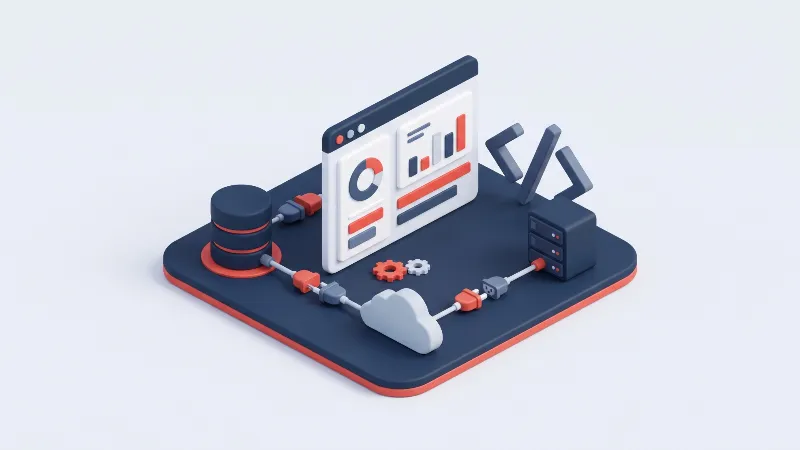
- The core parts of any web app are the frontend, the backend, the database, APIs, a web server and secure cloud hosting.
- Common types of web software include SaaS platforms, ERP and CRM tools, online stores, customer portals and Progressive Web Apps.
- Custom web software fits your exact workflow and belongs to you, while off-the-shelf tools win for common, non-differentiating needs.
Quick answer: Web software, or a web application, is a program that runs on a server and is used through a browser rather than installed on your device. It pairs a frontend, the part you see and click, with a backend of server logic and a database. Unlike a website that mainly displays content to read, web software lets people do real work: log in, submit forms and manage records. In 2026 most business tools arrive this way.
Web Software Defined: Frontend, Backend, and the Browser
Software still makes many people picture a program they download and install, yet the most important software in your working day probably never touches your hard drive. It lives on a server and you reach it through a browser tab. That is web software: an application whose logic runs remotely while its interface is delivered to any device.
In 2026 the shift is nearly complete: accounting, email, customer management and design all run in the browser. First, it helps to separate web software from two things it is often confused with, an ordinary website and web design.
| Aspect | Web Software (Web App) | Standard Website | Web Design |
|---|---|---|---|
| Primary purpose | Let users perform tasks and process data | Present information and content to read | Shape the look, layout and user experience |
| User interaction level | High, two-way input and output | Low, mostly reading and browsing | Visual and structural, not functional |
| Core technology layer | Frontend plus backend plus database | Mostly frontend, often a CMS | HTML, CSS and design tools |
| Data and database use | Central, stores and updates live records | Limited, mostly fixed content | None directly, works with mockups |
| Who builds it (role) | Full-stack and backend developers | Web developers or CMS editors | UI and UX designers |
| Maintenance needs | Ongoing updates, security and backups | Occasional content edits | Refreshed when the brand changes |
| Typical real example | An online banking dashboard | A company brochure site | A wireframe or style guide |
| Cost and timeline | Higher, weeks to months | Lower, days to weeks | Varies with scope, a project phase |
How Web Applications Actually Work
Every web application is built from the same handful of parts. Once you can name them, the whole thing stops feeling like magic.
Frontend: the user interface
The frontend is everything that loads inside your browser: buttons, forms, menus and text you interact with directly. Developers build it with HTML, CSS and JavaScript, often using frameworks such as React, Angular or Vue.
Backend: server-side logic
The backend is the part you never see. It runs on a server and holds the rules that decide what happens when you act, such as validating an order or recording a payment. Languages such as C#, Java, Python and Node.js power this layer.
Database: storing and retrieving data
Almost every web application needs to remember information between visits, and that is the database. It keeps accounts, orders, products and settings in structured form. Relational engines such as SQL Server, MySQL and PostgreSQL organise data into tables, while MongoDB holds flexible records.
Client-server request and response
Web software runs on a simple back and forth model. Your browser, the client, sends a request; the server does the work and returns a response, whether a full page, a piece of data or a confirmation. This exchange travels over HTTP and repeats on every screen.
APIs that connect the parts
An API, or application programming interface, is the agreed contract that lets separate pieces of software talk to each other. The frontend calls the backend through an API to fetch or save data. APIs also connect your app to outside services such as a payment provider.
Web servers and hosting
A web server is the machine, and the software on it, that listens for requests and serves your application to the world. Common examples include Nginx, Apache and IIS. Hosting is where that server lives, on a virtual machine or cloud platform, running around the clock.
Authentication and user accounts
Most web software needs to know who you are, and authentication is how it checks. When you sign in with an email and password, or a single sign-on provider, the backend verifies your identity and issues a session token. Authorisation then decides what you may see and do.
The browser as runtime environment
One reason web software spread so fast is that the browser became a universal runtime. Chrome, Safari, Edge and Firefox run the same application on a phone, laptop or tablet with no installation. The browser downloads the frontend, draws the interface and talks to the server.
Security, HTTPS, and data protection
Because web software travels across public networks, security is not optional. HTTPS encrypts traffic between browser and server so nobody can read it in transit, which is why the padlock in the address bar matters. Good applications also validate every input and follow rules such as GDPR and KVKK.
Cloud hosting and scalability
Modern web software usually lives in the cloud, on providers such as Azure, AWS or Google Cloud. The cloud lets an application grow on demand: when more people arrive, more capacity is added, and it scales back when traffic falls. That elasticity is a major reason businesses choose web delivery.
Common Types of Web Software
Web software covers a broad range of products. These five categories account for most of what businesses build and buy today.
SaaS platforms
Software as a Service, or SaaS, is web software you reach by subscription rather than installing. You log in through a browser, and the provider handles hosting, updates and backups. Email suites, design tools and project trackers all work this way.
Internal business tools (ERP/CRM)
Many companies run web software built purely for their own teams. An ERP system ties together finance, inventory and production, while a CRM manages customers, leads and sales activity. These tools replace scattered spreadsheets and enforce one process across departments.
E-commerce and online stores
An online store is web software dedicated to selling. It shows a catalogue, manages a shopping cart, takes payment securely and tracks each order through to delivery. Behind the storefront sit inventory, pricing, tax and shipping logic, plus payment integrations.
Customer portals and dashboards
A customer portal gives your clients a private, secure area to do business with you: check an order, download an invoice or open a support ticket. Dashboards apply the same idea to data, turning raw numbers into charts people can act on. Both cut repetitive support requests.
Progressive Web Apps (PWA)
A Progressive Web App is a web application that behaves much like an installed mobile app. It can be added to a home screen, work offline, send push notifications and load almost instantly, yet it runs in the browser and needs no app store.
Choosing Custom Web Software for Your Business
Custom web software is built around your exact process rather than forcing your team into a generic template. Work through these six points to keep the project on budget.
- Define the business problem first: Be clear about the specific pain you want to remove, whether manual data entry, slow reporting or scattered records. A sharp problem statement keeps the project focused.
- Map required features and workflows: List the steps your team takes today and how the software should support each one. Separating must-have features from nice-to-have ideas controls cost.
- Set a realistic budget and timeline: Agree on a budget range and a phased timeline early. Building in stages lets you launch a useful first version far sooner.
- Check integrations and scalability: Confirm the new system can connect to the tools you already use, such as accounting or email, and that it can grow with your data and users.
- Plan for maintenance and support: Software is never truly finished; it needs updates, patches and fixes. Agree who maintains it and how support works before you go live.
- Own your source code and data: Make sure the contract gives you full ownership of the code and unrestricted access to your data, so you are never locked to one vendor.
Custom Web Software vs Off-the-Shelf: Which Fits Your Business
Off-the-shelf software, whether a SaaS subscription or a packaged product, is the fastest and cheapest way to start. It is ready today, tested by thousands of users and maintained by the vendor, which makes it right when your needs are common. The trade-off is that you adapt your process to the software and pay recurring fees that add up.
Custom web software reverses that balance. It costs more up front, but it fits your workflow exactly and belongs entirely to you. The practical rule: use ready-made tools for the common, non-differentiating parts of your business, and invest in custom software where a tailored system saves real time or creates an edge competitors cannot copy.
Why Demircode
Understanding web software is one thing; building it to a professional standard is another. Demircode has delivered more than one hundred projects since 2011, and we bring that engineering discipline to every web application we ship.
- Full-stack web engineering: We build both the frontend and the backend, so your application stays fast and coherent from browser to database.
- Custom software built around you: Instead of bending your business to fit a template, we design systems that mirror how your team actually works.
- Secure and scalable architecture: We plan for growth and protection from day one, with HTTPS, sound data handling and hosting that scales.
- Clean, maintainable codebases: Version control, testing and code review are standard practice, so what we deliver stays stable and easy to extend.
- Performance and SEO focus: We optimise for real speed, search visibility and user experience, not just a demo that works once.
- A dedicated local team: You get clear communication, privacy-compliant processes and fast support from a team that stays close to your project.
Whether you need a customer-facing platform or an internal tool, our Web Development Custom Software Development teams can take your idea from concept to a running product. For more background, read our guides on Web Software and Design Coding What Is MySQL and SQL.
Frequently asked questions
Is web software the same thing as a website?
Not exactly. Every web application is delivered through the web, but a plain website mainly shows information you read, while web software lets you log in, enter data and manage records. Think of a website as a brochure and web software as a tool.
What is the difference between frontend and backend?
The frontend is the part you see and use in your browser, built with HTML, CSS and JavaScript. The backend runs on a server, holds the business logic and talks to the database. The frontend is the shop floor; the backend is the office behind it.
How much does custom web software cost to build?
There is no single price, because cost depends on the number of features, the complexity of the logic and the integrations you need. A focused internal tool costs far less than a large multi-user platform. Define requirements clearly, then build in phases so an early version delivers value.
Do I need coding skills to use web software?
No. Web software is designed for everyday users, and if you can navigate a browser you can use it. Coding skills are only needed to build or customise the application, not to operate it.
How long does it take to develop a web application?
Timelines vary with scope. A simple tool might take a few weeks, while a rich platform with many roles and integrations can run for several months. Most teams work in phases, launching a minimum useful version first, which reduces risk and spreads cost.
Conclusion
Web software combines a browser-based frontend, server-side logic and a database into one system that lets people get real work done from any device. Understanding how those layers fit together helps you decide what to buy and what to build. When you are ready to turn an idea into a working product, our Web Development team is here to help.
Related Products

Related Services