What You'll Learn from This Article
- To list products on a marketplace you need a seller account, an organized catalog, category matching, images, barcode and price stock data.
- You can bulk upload hundreds of products with an XML feed or API integration and keep stock and price synchronized automatically.
- Correct category and attribute matching speeds up product approval and directly increases visibility in marketplace search results.
- Connecting all marketplaces to a central system is the safest way to prevent stock conflicts across multiple sales channels.
- Making your own site or ERP the hub for synchronized selling to many marketplaces is the most profitable model over the long term.
Quick answer: To list products on a marketplace you first need a seller account or store, a well-structured product catalog with correct category and attribute matching, quality images and descriptions, a barcode or GTIN, and accurate price and stock data. To upload many products quickly and keep them in sync, sellers usually rely on an integration, meaning an XML feed or an API connection. The right method depends on how many products and channels you manage.
Why listing on marketplaces matters in 2026
In Turkey the majority of online shopping now happens through marketplaces, and in 2026 these channels have become the fastest growth path for small businesses. By opening a single store you can reach millions of ready buyers and start selling without building an advertising infrastructure of your own. The table below compares the leading marketplaces by audience, commission structure and the product groups that fit them best.
| Marketplace | Audience / strength | Commission structure | Best-fit products |
|---|---|---|---|
| Trendyol | Widest visitor volume and largest audience in Turkey | Varies by category | Fashion, home, cosmetics, general goods |
| Hepsiburada | Strong position in technology and electronics | Category based commission | Electronics, appliances, technology |
| Amazon | International reach and high buyer trust | Membership plus category commission | Branded goods, books, cross-border |
| N11 | Established local marketplace with a loyal base | Varies by category | Electronics, home, hobby |
| Ciceksepeti | Gift and special-occasion focused shopping | Category based commission | Flowers, gifts, food, cake |
| PttAVM | Local producer focus and public trust | Favorable commission structure | Local production, food, handcraft |
| Pazarama | Fast-growing next-generation channel | Varies by category | General goods, home, accessories |
| Etsy | International handmade and design market | Listing fee plus commission | Handmade, design, digital products |
The 12 steps to upload products to a marketplace
The product upload process is a chain of steps that runs from opening the account all the way to going live. Below we explain each step in a practical, actionable way.
1. Open the seller account and store
The first step toward selling is creating a seller account and completing your store details. Tax certificate, identity or company documents, IBAN and contact information are uploaded to the system, and the required paperwork changes depending on whether you register as an individual or a company. Once the account is approved, you configure basic settings such as store name, logo and return policy.
2. Prepare the product catalog
Building a central and organized catalog before uploading speeds up the entire process. For every product, gather the title, description, brand, model, color, size, price, stock and image data into a single table. A clean catalog makes bulk upload and multi-channel management far easier.
3. Category and attribute matching
Marketplaces list products according to their own category trees and mandatory attribute fields. Placing your product in the correct category and filling in attributes such as color, material and warranty completely both speeds up approval and improves visibility. A wrong category choice leads to the product being rejected.
4. Product images and standards
Because images directly influence the buying decision, following each marketplace image rules matters. A plain background, high resolution and multiple angles that show the product clearly are usually required. Quality images raise conversion and reduce return requests.
5. Product title and description with SEO
The title and description target both the buyer and the marketplace search engine. A clear title that includes brand, model and the most important features should be supported by descriptions written as bullet points. Using the words buyers search for naturally lifts the product to higher positions.
6. Barcode or GTIN and product identity
Most marketplaces require a unique identifier such as a barcode or GTIN for every product. This code makes the product unique, simplifies matching across different sellers and eases stock tracking. If you manufacture your own product you obtain a registered barcode, and if you resell finished goods you use the manufacturer GTIN.
7. Pricing and commission calculation
When setting the sale price, evaluate the marketplace commission, shipping cost, return rate and profit margin together. Because commission rates change by category, you need to calculate cost separately for each product group. Healthy pricing keeps you both competitive and profitable.
8. Stock management and synchronization
If you sell the same product across more than one channel, real-time stock synchronization is critical. A product sold on one channel must drop on the others as well, otherwise orders you cannot fulfill bring penalties and score losses. Central stock management removes these conflicts.
9. Bulk upload via XML or API feed
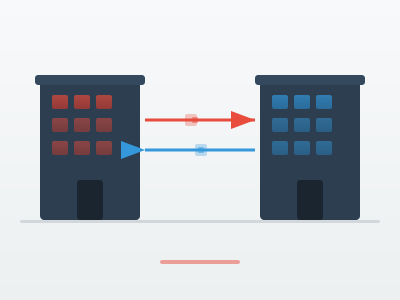
Instead of entering hundreds of products one by one, uploading them in bulk with an XML feed or an API connection saves a great deal of time. An XML feed updates product data automatically at set intervals, while an API offers real-time two-way data flow that also keeps stock and price in sync.
10. Integration software connection
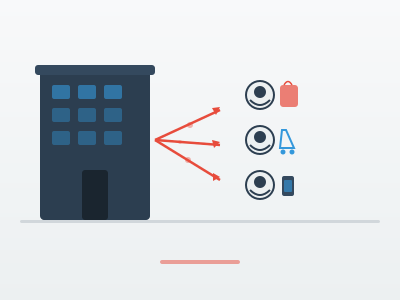
An integration software that connects your ERP or e-commerce system to the marketplaces lets you manage all channels from a single panel. Product, order, stock and price data flow from the center to the marketplaces, so you are freed from re-entering data on every channel. For growing sellers this structure is almost mandatory.
11. Shipping and delivery settings
Every marketplace works through contracted carriers and defined delivery times. Defining desi or weight-based shipping fees, dispatch times and return conditions correctly determines buyer satisfaction. Shipping on time directly affects your store score.
12. Approval process and going live
After products are uploaded, the marketplace runs a content and compliance check. Products that do not meet the rules come back for revision, and once the gaps are fixed the product goes live and opens for sale. After the first launch it is important to monitor performance and keep improving the title and price.
Product upload methods
There is more than one way to move your products onto a marketplace, and the right method depends on your product count and technical infrastructure. Below we explain the five most common methods.
Manual one by one upload
For sellers with only a few products, entering items one by one through the marketplace panel is the simplest method. It requires no extra software, but as the product count grows it takes a lot of time and the risk of error rises. Beyond a few dozen products it is not sustainable.
Excel or CSV bulk upload
Filling in the ready templates that marketplaces provide and uploading them as an Excel or CSV file is practical for mid-sized catalogs. You can enter hundreds of products in a single file, but you have to repeat stock and price updates manually.
XML feed
An XML feed provides automatic updates by defining a link that hosts your product data to the marketplace. The system reads the feed at set intervals and reflects price and stock changes on its own. If you have your own site or ERP system, an XML feed is a strong and low-maintenance solution.
API integration
API integration sets up real-time two-way data flow between the marketplace and your system. Product, order, stock and price stay synchronized in real time, and an order drops into your system the moment it arrives. It is the most flexible and scalable method, but the setup requires software expertise.
Integrator panel software
Integrator software combines several marketplaces into a single panel and offers fast setup with ready connections. It lets you manage products and stock from the center, and although there is a subscription cost the technical load drops. If you want a structure that fits your needs exactly, a custom integration may be the better choice.
Tools and infrastructure you need
For sustainable selling on marketplaces you need to have a few core building blocks ready. When these components come together, the product upload process runs in an orderly and error-free way.
- A clean central product catalog: An organized catalog that gathers all your product data into a single, consistent source.
- An integration or integrator software: A system that connects the channels together and automates bulk upload.
- Barcode or GTIN and category mapping data: The identifier that makes each product unique and correct category and attribute matches.
- Stock and price synchronization: Shared stock and price information updated in real time across all channels.
Setting up this infrastructure correctly from the start prevents the stock conflicts and pricing errors that arise as product counts grow, and it accelerates your growth.
Single marketplace or multi-channel with your own site
Selling on a single marketplace is easy to start with, but it ties all of your visibility and customer data to that one channel, and commissions or rule changes hit your profit directly. A healthier model is to build a central structure such as your own site or ERP system and sync product, stock and price from there to every marketplace. This way you prevent conflicts, manage everything from one point, and benefit at the same time from both the wide audience of the marketplaces and the higher margin of your own branded site.
Why Demircode
Demircode is a software company that has been developing software since 2011 and has delivered more than 100 projects. We build marketplace integrations, e-commerce sites and stock and price synchronization systems custom to the needs of your business. Our goal is not to squeeze you into a ready template but to set up a lasting infrastructure that fits your workflow exactly.
- Custom marketplace integration: Dedicated connections to Trendyol, Hepsiburada, Amazon and other channels over XML and API.
- Central stock and price synchronization: A single source updated in real time across all channels.
- Fully custom e-commerce site: Your own sales site adapted to your brand and your processes.
- Secure payment integration: Fast and secure payment infrastructure with DPay.
- SEO and AI friendly structure: A content architecture visible in search engines and next-generation assistants.
- Long-term technical partnership: Support that stays by your side well after the setup.
For brands that want to grow on marketplaces we offer both a strong B2C E-Commerce Web Solutions infrastructure and a Custom Software Development service that connects the channels together, while on the payment side we secure collections with DPay Payment Integration. When you plan where to begin, our How to Sell Online and Best-Selling Products Online articles will point the way.
Frequently asked questions
What is needed to list products on a marketplace
To list products on a marketplace you need an approved seller account, tax and identity documents, an organized product catalog, correct category and attribute matching, quality images, and a barcode or GTIN together with price and stock information. As the product count grows, XML or API integration also gains importance.
How do you upload many products at once
Instead of entering hundreds of products one by one, sellers use an Excel or CSV template, an XML feed or an API integration. Excel is practical for mid scale, while XML and API are the most efficient for large catalogs because they automate both the first upload and later updates.
What is category and attribute matching
Category and attribute matching means placing your product in the correct spot in the marketplace category tree and filling in mandatory fields such as color, material, size and warranty completely. Correct matching speeds up approval and lets buyers find the product through search and filters.
Do you need a barcode or GTIN to sell on marketplaces
Most marketplaces require a barcode or GTIN to make products unique. If you resell finished goods you use the GTIN provided by the manufacturer, and if you manufacture your own product you need to obtain a registered barcode. In some categories the marketplace can also generate its own product code.
How do you keep stock in sync across marketplaces
The safest way to keep stock in sync is to use an integration that connects all channels to a central system. When a sale happens on one channel, stock drops automatically on all the other marketplaces, which prevents unfulfilled orders and penalties. An XML or API integration provides this sync in real time.
Conclusion
Uploading products to marketplaces is a holistic process that requires a seller account, an organized catalog, correct category and attribute matching, quality images, barcodes and strong stock and price synchronization. Businesses that set up these steps correctly and use XML or API integration for bulk upload both save time and grow without errors. For a setup tailored to your business you can reach out to our Custom Software Development team.
Related Products



Related Services